How to order a book
If you would like to borrow books or other items from the Library’s collection, please use Catalog+:
go to Catalog+ and log in to your account;
- open “Browse Catalog” and find the item you need by author, title, or subject;
- select an available copy and click “Order” (if the “Order” option is missing but the status is “Available,” that copy can only be used in the reading room where it is stored);
- select a pickup location and click “Submit Order”;
- pick up your order at the selected pickup location (don’t forget your student ID or library card)—it will be ready within an hour. You can track the status of your orders in Catalog+: as soon as your order is ready, it will appear in the “Checked Out Copies” section.
We also invite you to watch our video tutorials:
- How to order a book;
- How to log in to Catalog+;
- How to renew a book’s loan period via Catalog+;
- What resources can be found in Catalog+;
- Account features.
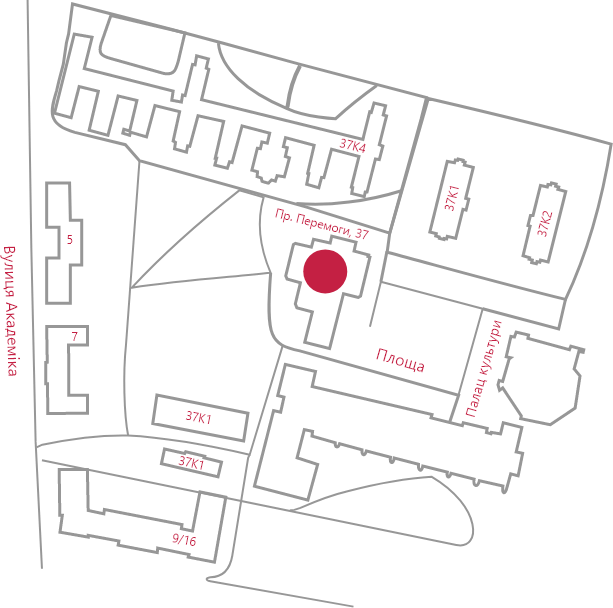
If you have any questions regarding your order, our staff is always ready to assist you at the circulation desk (2nd floor).
Please note: only students and staff of Igor Sikorsky Kyiv Polytechnic Institute may borrow books to take home; all other visitors may use the materials in the reading rooms.
HOW TO LOG IN TO YOUR ACCOUNT
To log in to your account, you must enter your barcode and password.
Barcode:
- for students of Igor Sikorsky KPI — this is your student ID number without letters;
- for employees of Igor Sikorsky KPI — your ID card number;
- for other users — the barcode on your library card;
- if you registered online, your barcode is the temporary number provided by the system, such as BOR4983.
Password:
for students of Igor Sikorsky KPI — your date of birth in the format day/month/year (such as 01012002), unless you specified a different one;
for employees of Igor Sikorsky KPI and other users — the password you specified during registration.
If you have forgotten your password, use the “Forgot Password” feature in the catalog. Your password must contain only Latin letters (case-insensitive) or numbers—between 4 and 20 characters.